Radioband tunes public shortwave receivers from your iPhone or iPad. Listen on its own, or turn on recognition for live captions, translation, and song identification. Keep a journal of what you heard, on your device.
Coming soon
$3.99, one purchase. Requires iOS 27 or iPadOS 27.
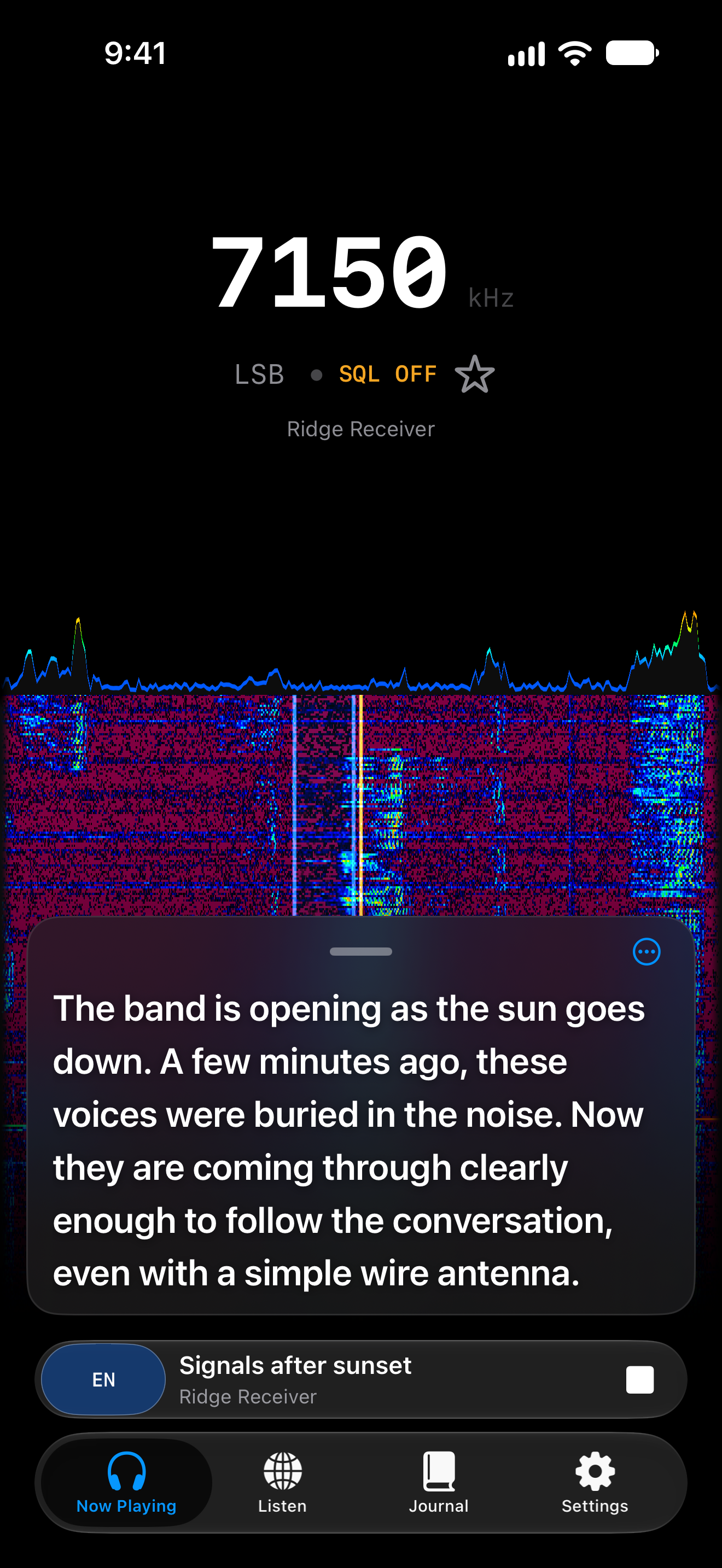
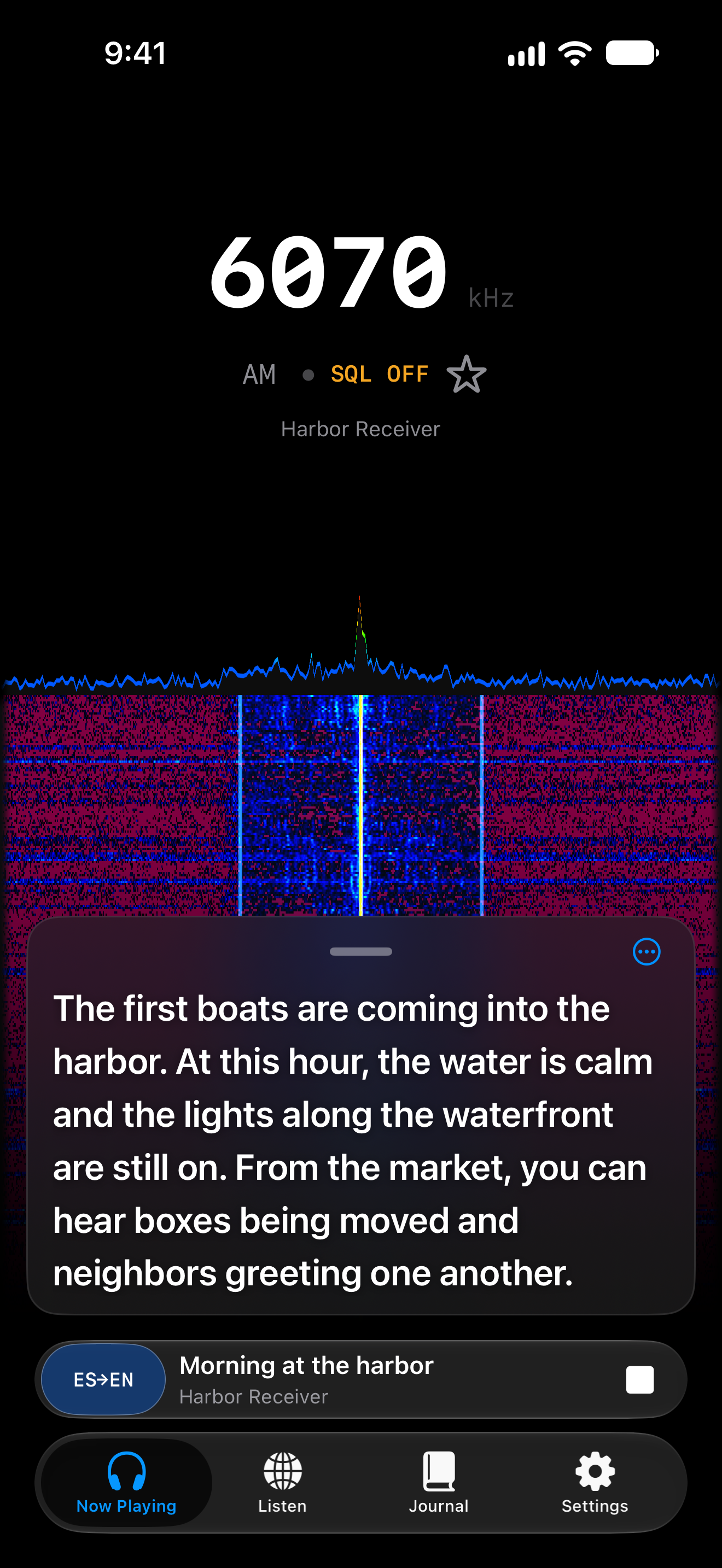
Turn on recognition to follow speech in live captions while the radio keeps playing. Captions sit over the waterfall, so you can read the conversation and watch the signal together.
Follow broadcasts in supported languages with translation on your device. Switch between the original words and the translation as you listen.
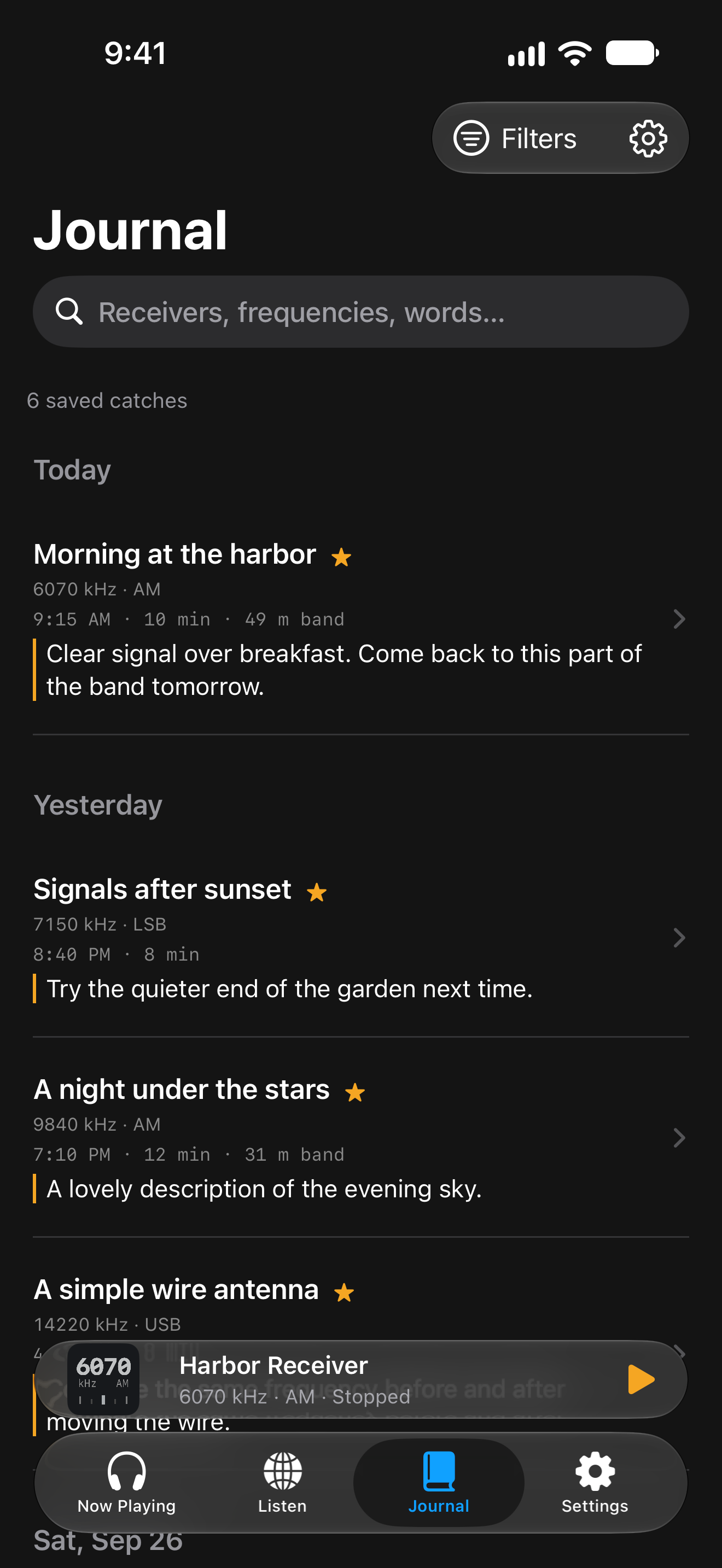
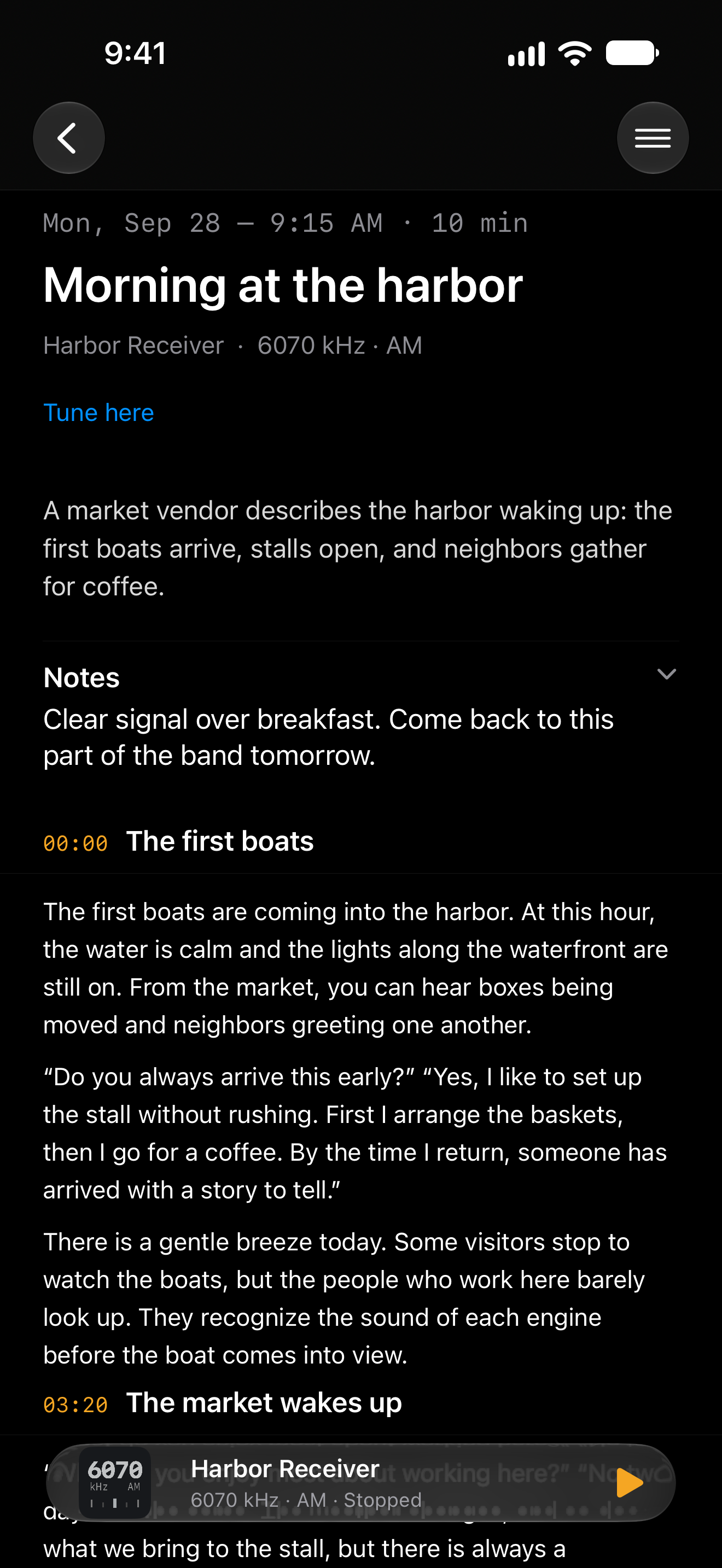
The Journal saves sustained listens with their receiver, frequency, mode, and time. Search your catches, add notes, and mark the ones to keep. Recognition adds transcripts, translations, and identified songs.
Open a catch and tap “Tune here” to return to Now Playing on the same receiver, frequency, and mode. You connect to what is live there now. Radioband does not record broadcast audio.
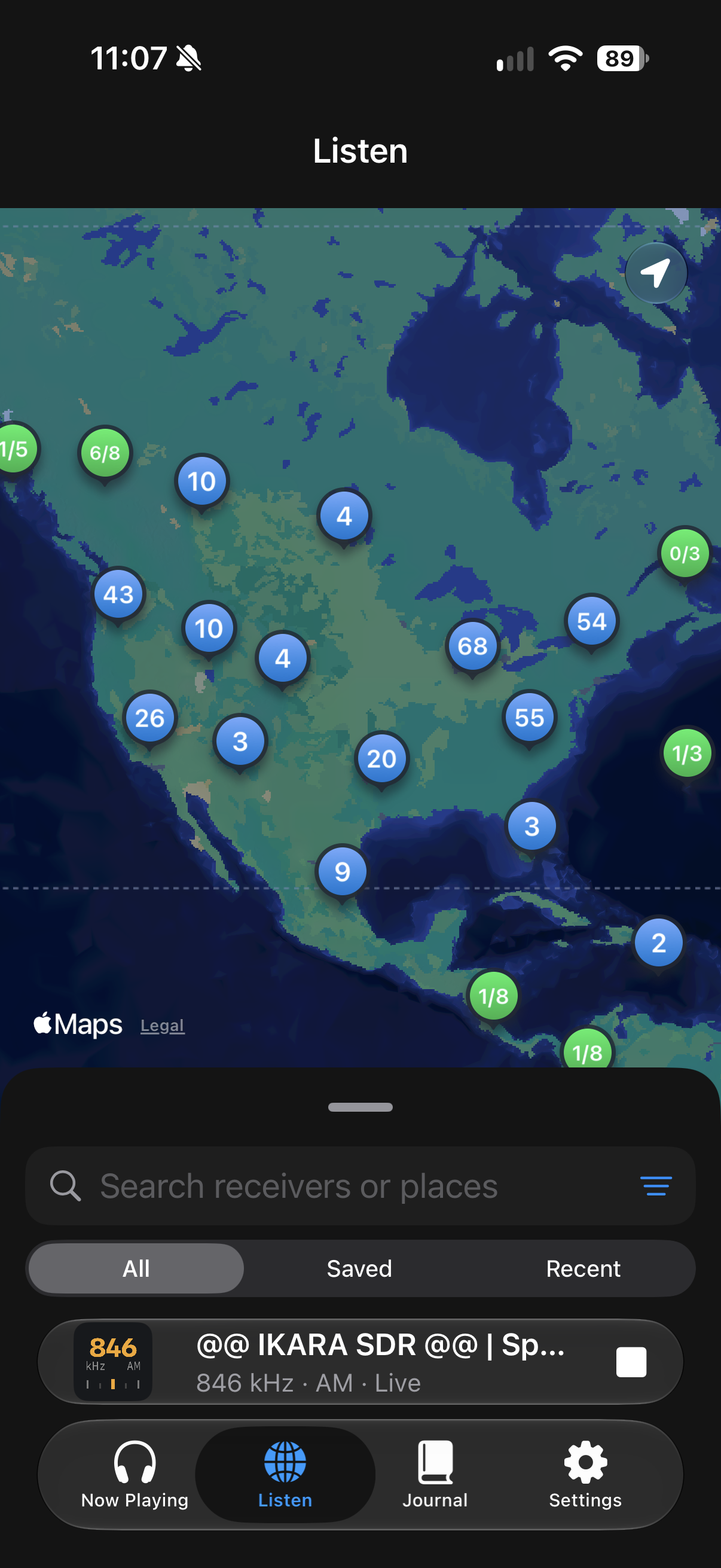
Explore public KiwiSDR and OpenWebRX receivers on a map or in a list. Search for a place, browse nearby receivers, or return to a saved or recent one. A bundled directory lets you browse while the latest list loads.
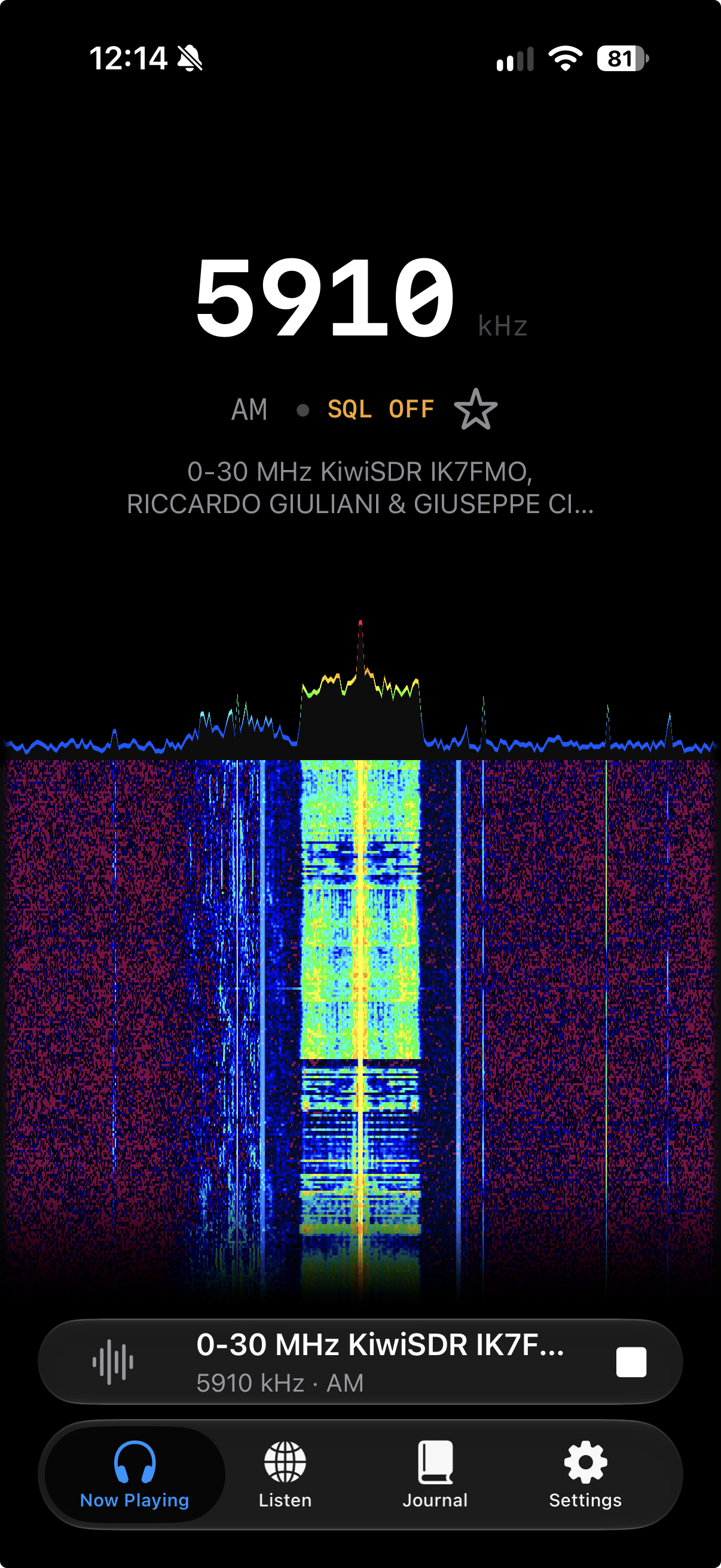
Tap the frequency to open the tuning keypad. Set the mode and squelch, fine-tune around a signal, and zoom the waterfall to explore the band.
With recognition on, Shazam identifies music and keeps the match with your catch. Open it in Apple Music or Spotify, or save it to the “Heard on Radioband” Apple Music playlist.
Keep listening while you use another app or lock the screen. Playback controls stay available on the Lock Screen.
No account, advertising, or analytics. Listening and journaling work without recognition. Optional song matching sends an audio fingerprint to Apple. Read the privacy policy.
Radioband needs an internet connection and depends on independently operated receivers. Coverage, reported listening slots, signal quality, and session limits vary. Many receivers use unencrypted connections; the receiver card identifies them.
Recognition is optional. Captions and translation depend on supported languages, device capabilities, and the signal. Language models download when needed and may use cellular data. Journal titles and summaries use Apple Intelligence when available.
Caption and Journal screenshots use fictional examples. The support page explains setup, journaling, and common receiver problems.